
ZDT1.0.3 - Download
You'll be able to download in few seconds.
Publisher Description
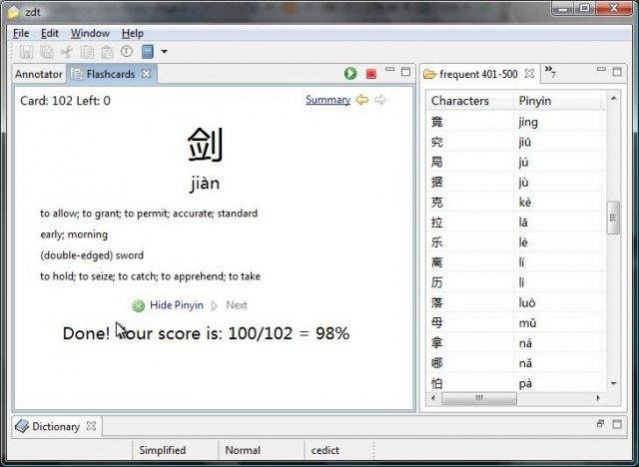
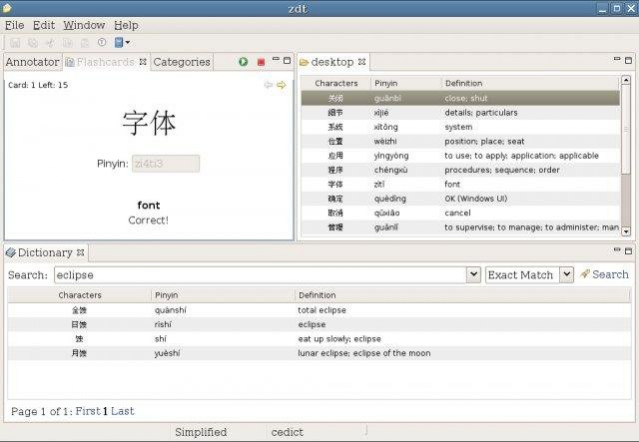
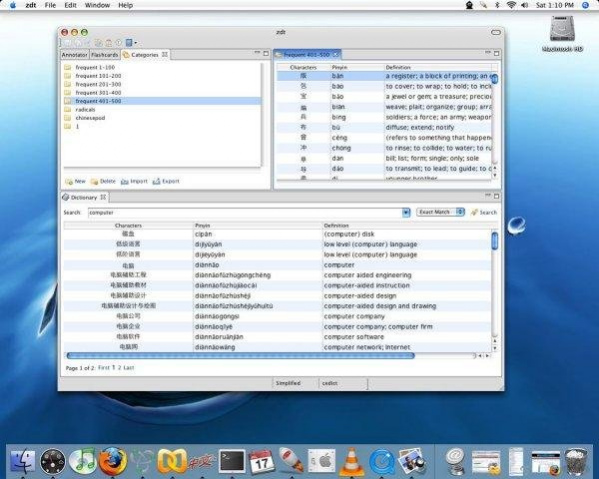
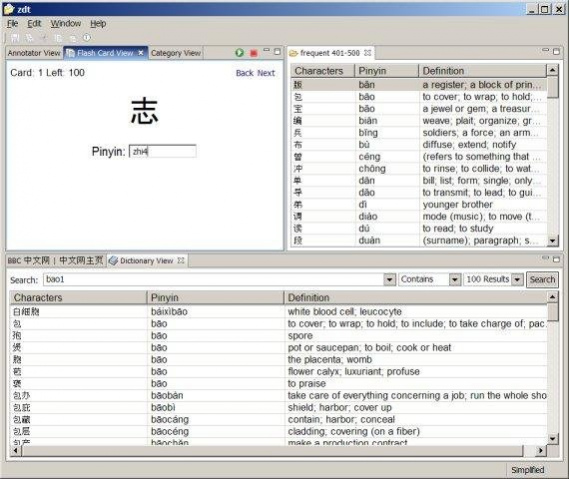
The ZDT (Zhongwen Development Tool) is written in Java using the Eclipse RCP to help users study mandarin Chinese. The most important feature is the flashcard study feature.
ZDT currently contains:
* a Flashcard plugin for memorizing Chinese characters, their meaning and their pinyin/pronunciation. The user is able to import Character lists or enter them manually. This
* a Dictionary search plugin with three dictionaries: ADSO, CeDict, HanDeDict. The HanDeDict is a German dictionary. It is also possible to search any word lists entered by the user using the flashcard plugin.
* an Annotator plugin. The Annotator converts the Chinese characters into pinyin, using the Alphabet with accents.
On the ZDT website, flashcard lists are available for some commonly used books, such as Hanyu Jiaocheng (汉语教程).
User discussion can be found on:
You also may choose to use Tickets -> Support (see above).
- Study Mandarin Vocabulary using Flashcards, repeating the cards you forgot
- Transcribe Chinese Characters into pinyin (Roman script) using the Annotator
- Find common translations in the dictionary and use them in the flashcards
- Search in your Flashcards using the dictionary 'user'
- Import word-lists of student books common in China easily, such as Hanyu Jiaocheng
About ZDT
This program is available in English. It was last updated on 30 September, 2026. ZDT is compatible with the following operating systems: Linux, Mac, Windows.
The company that develops ZDT is bogleg20. The latest version released by its developer is 1.0.3.
The download we have available for ZDT has a file size of 143.7 MB. Just click the green Download button above to start the downloading process. The program is listed on our website since 2016-05-28 and was downloaded 0 times. We have already checked if the download link is safe, however for your own protection we recommend that you scan the downloaded software with your antivirus. Your antivirus may detect the ZDT as malware if the download link is broken.
How to install ZDT on your Windows device:
- Click on the Download button on our website. This will start the download from the website of the developer.
- Once the ZDT is downloaded click on it to start the setup process (assuming you are on a desktop computer).
- When the installation is finished you should be able to see and run the program.
Version History
version 1.0.3
posted on 2016-05-28
version handedict-0.4.0
posted on 2008-05-25
Several fixes and updates
Disclaimer
External Download
We do not host ZDT on our servers. We did not scan it for viruses, adware, spyware or other type of malware. This app is hosted by the software publisher and passed their terms and conditions to be listed there. We recommend caution when installing it.
The external download link for ZDT is provided to you by apps112.com without any warranties, representations or guarantees of any kind, so access it at your own risk.
If you have questions regarding this particular app contact the publisher directly. For questions about the functionalities of apps112.com contact us.
